
Deep Review /
elementor review 2025
In this in-depth Elementor Review 2025, we explore why Elementor continues to dominate as the most powerful and user-friendly website builder plugin in 2025. this review will help you decide if Elementor is the right tool to build your website.
Editors Overall Rating
9.6/10
Detailed review of Elementor
🔥 What Is Elementor?
✅ Elementor is a WordPress page builder plugin that allows users to design beautiful websites with a drag-and-drop interface—without touching a single line of code. Since its launch in 2016, it has evolved into a full website building solution with advanced design controls, responsive editing, WooCommerce support, and theme building features.
✅If you’re building a WordPress website in 2025, chances are you’ve heard of Elementor—and for good reason. With over 14 million active installations, Elementor has redefined how users design websites by offering a powerful, drag-and-drop interface that doesn’t require any coding knowledge. But with so many new tools and page builders on the market, does Elementor still live up to the hype?
➜➜➜ In this Elementor Review 2025, we take a deep dive into what makes Elementor a top choice for bloggers, freelancers, agencies, and small business owners.
Whether you’re launching your first website or optimizing an existing one, this guide will help you determine if Elementor is the perfect fit for your web design needs in 2025 ?
Pros ✔
-
No coding required.
-
Smart AI features save time.
-
Super customizable.
-
Great mobile responsiveness.
-
Fast & stable with latest updates.
-
Tons of templates and kits.
-
Seamless WooCommerce integration.
Cons ⨂
-
Some advanced features require Pro plan.
-
Can slow down websites if not optimized properly.
-
Lock-in effect: hard to switch builders later.
-
Plugin compatibility issues.
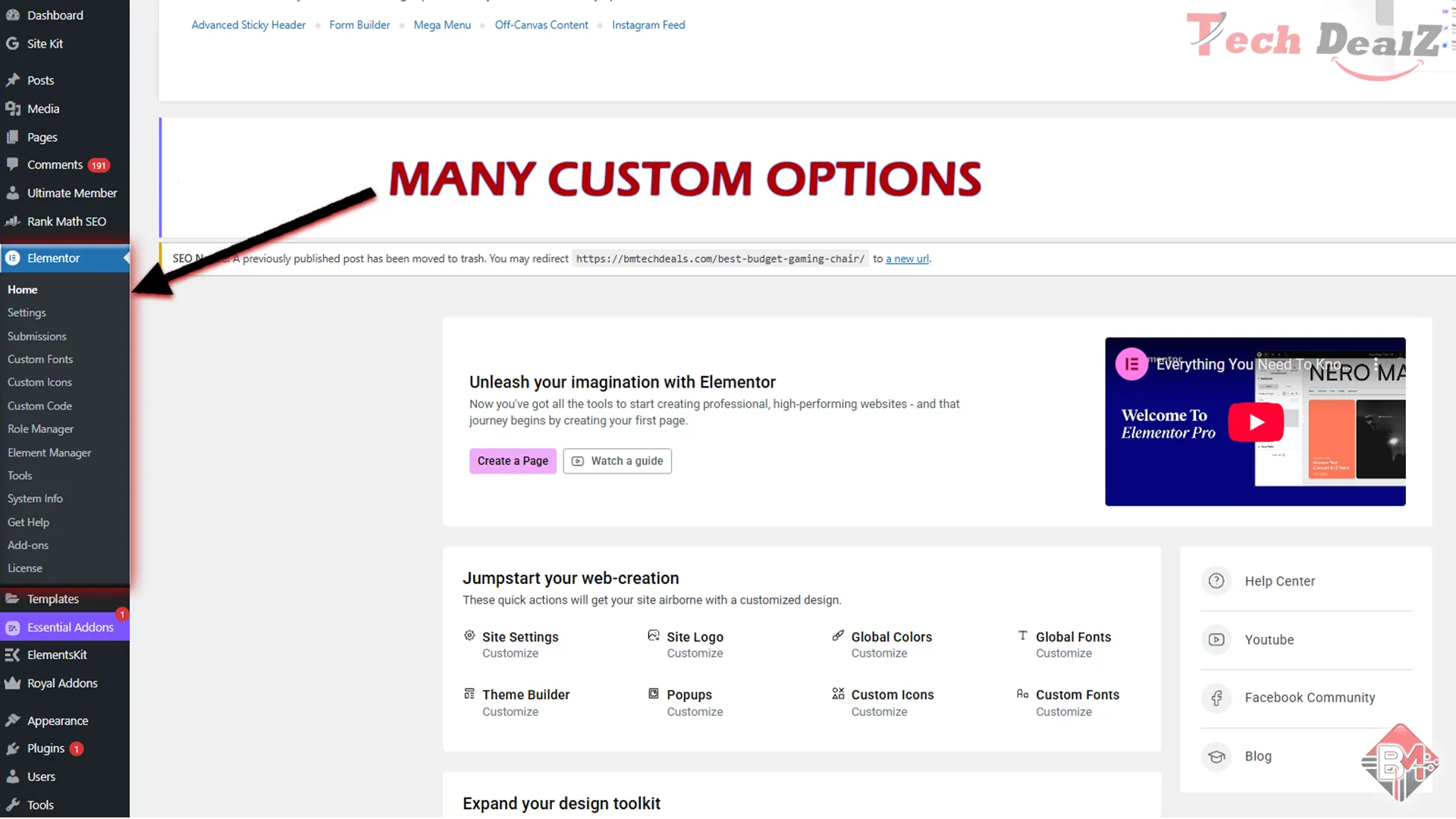
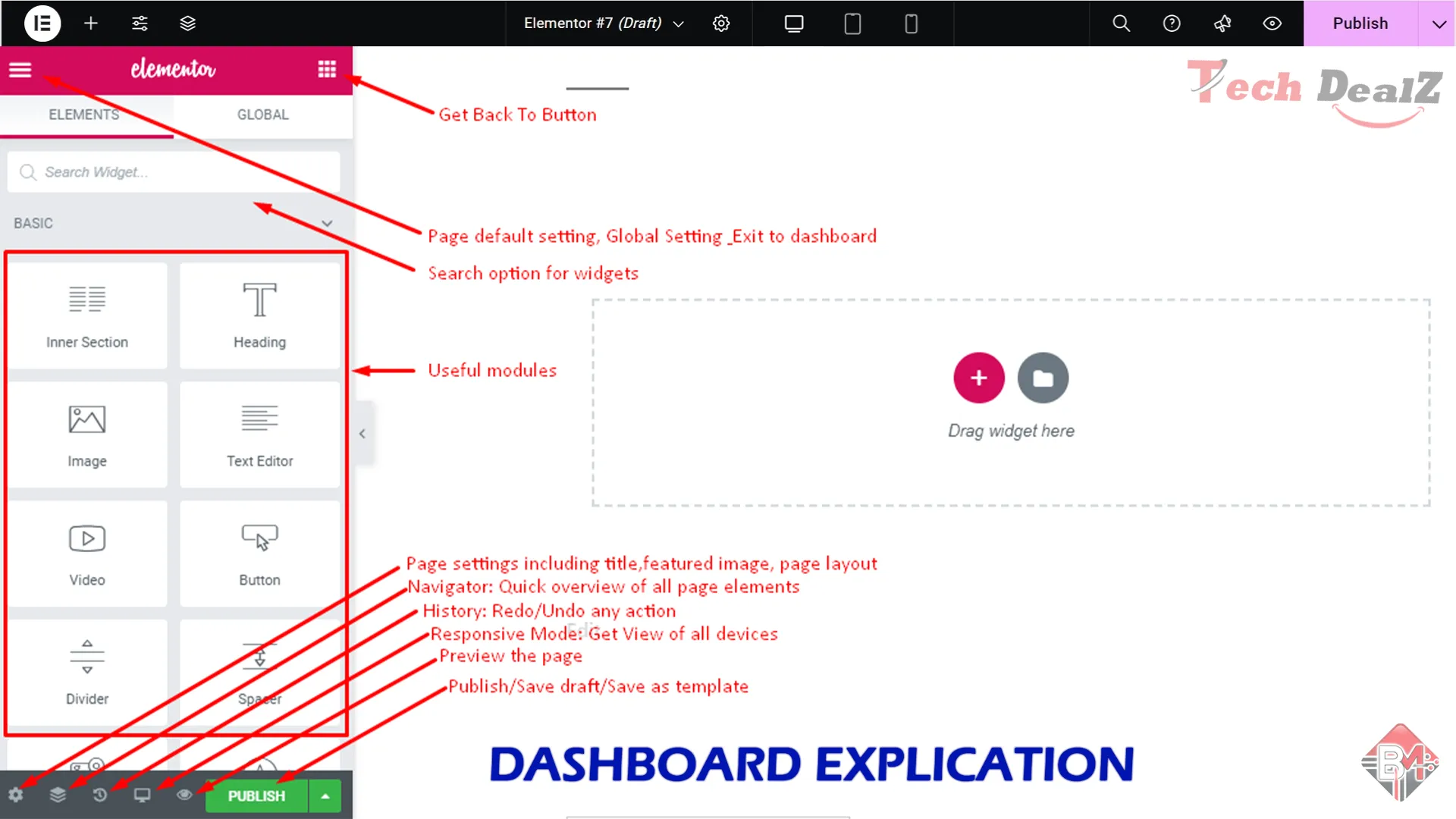
Dashboard view of Elementor
quick video review
Top Key features
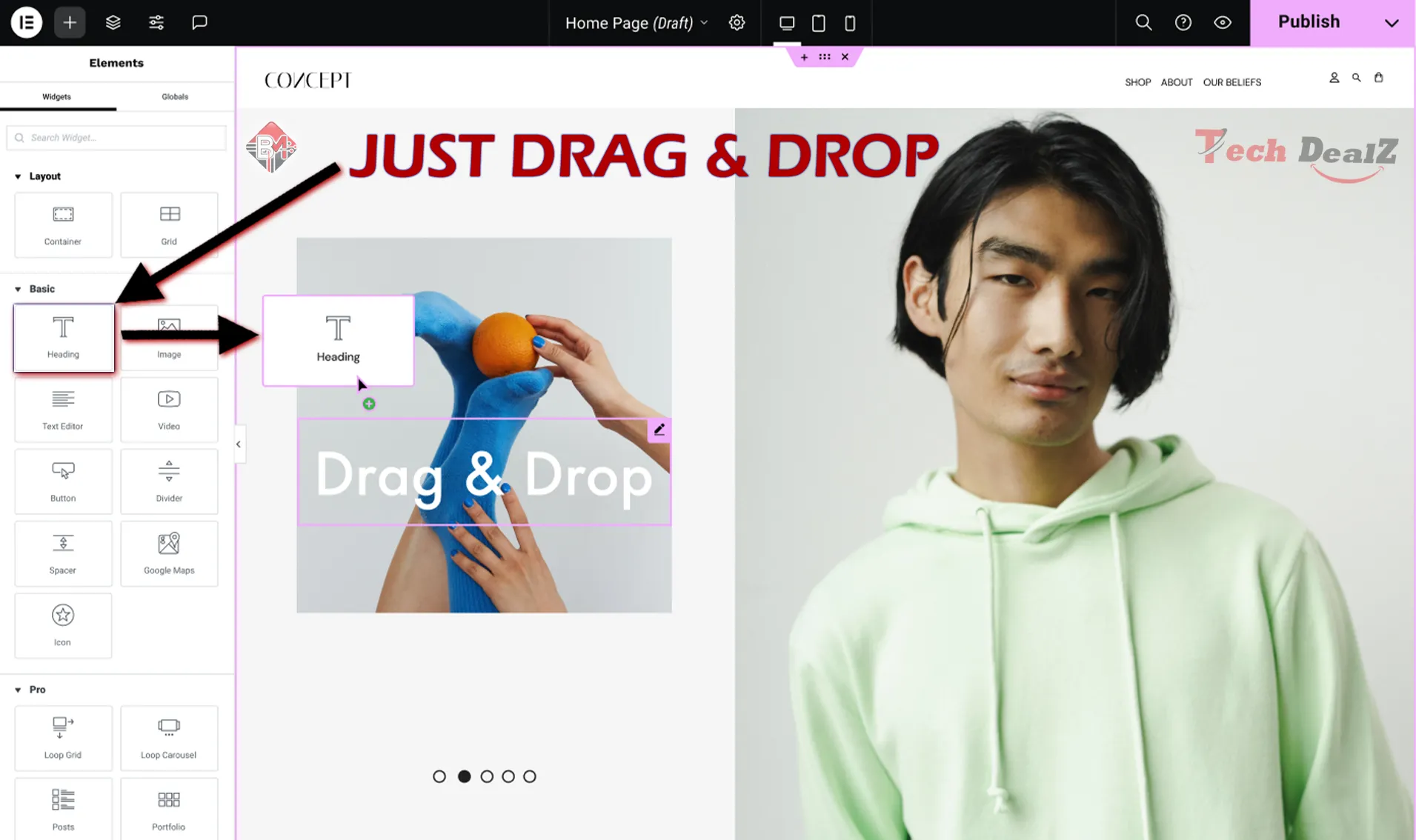
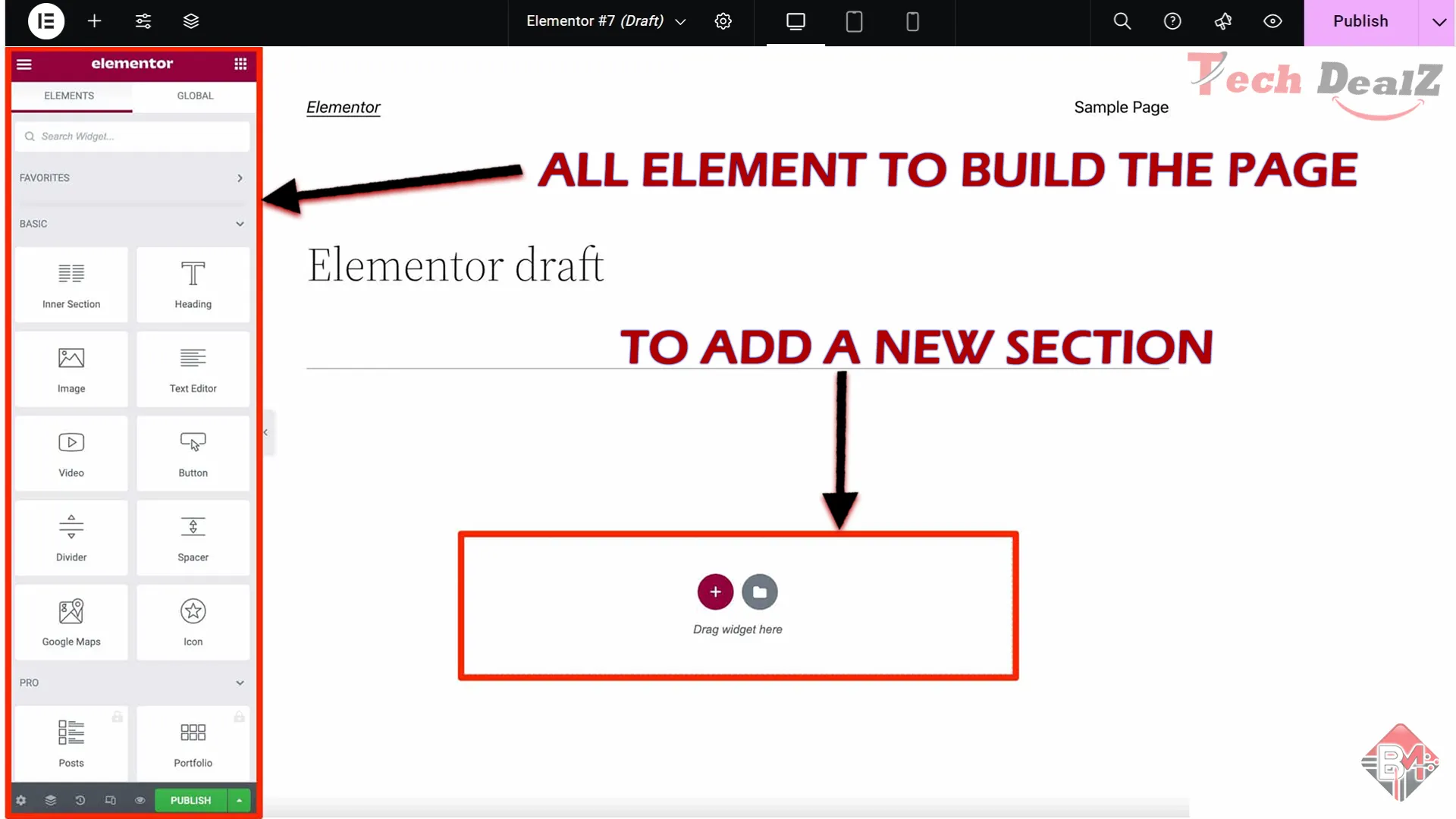
1. Drag-and-Drop Live Editor :
Elementor’s interface is entirely visual — what you see is exactly what you get. You simply drag widgets from the left panel and drop them into the live preview area. You can edit text inline, resize elements visually, and move sections with ease.
🔑 Why it matters: No coding skills are required. Beginners can build pro-level websites visually, while advanced users can fine-tune layout down to the pixel.
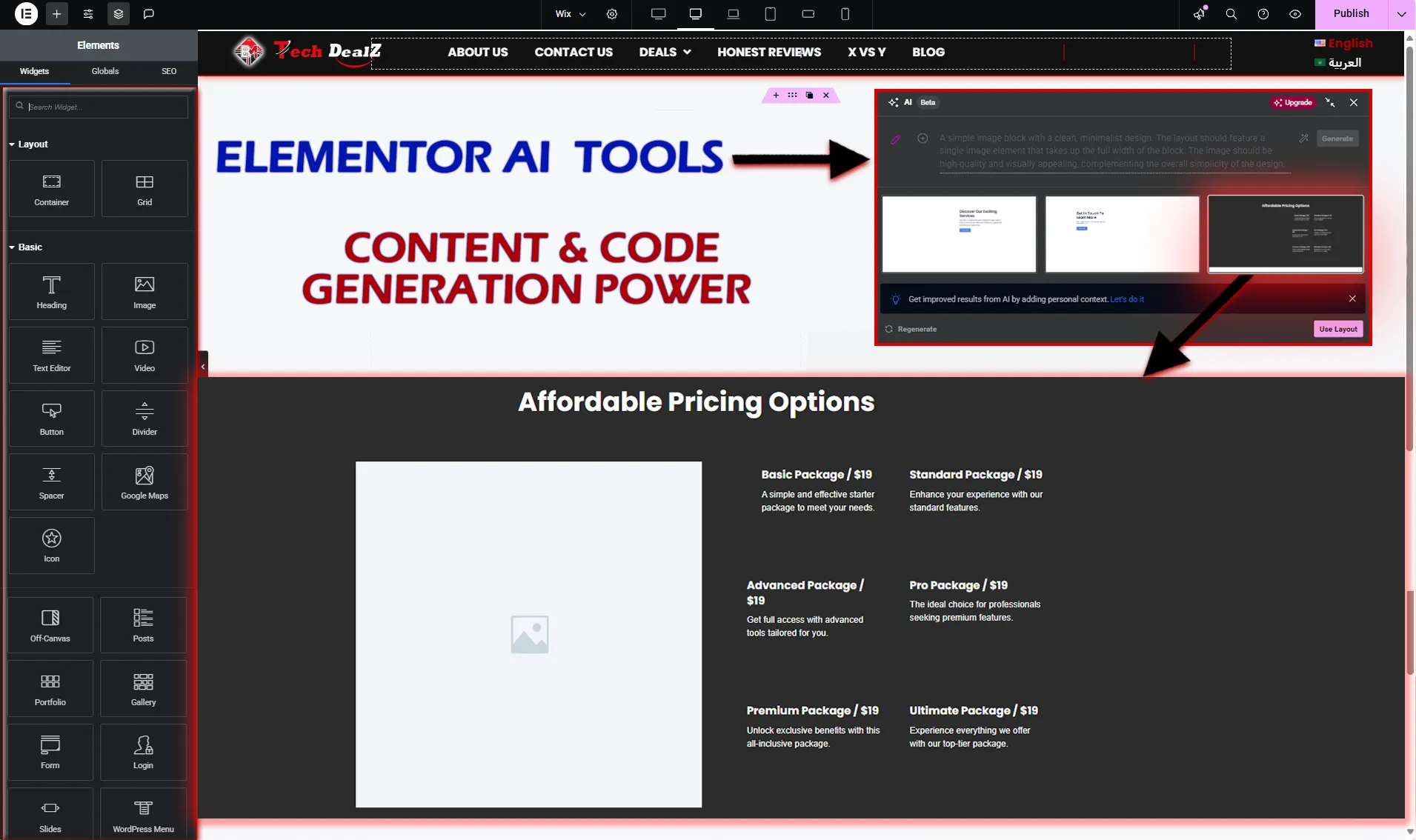
2. Elementor AI 2.0 :
Elementor has deeply integrated AI into the core builder :
- Generate content: Headings, descriptions, CTAs, and full paragraphs.
- Write custom code: HTML, CSS, and JavaScript snippets on demand.
- Translate pages: Instantly convert content into multiple languages.
- Optimize for SEO: Suggests and writes meta titles/descriptions
🔑 Why it matters: It speeds up the creation process, helps non-writers build engaging content, and reduces dependency on copywriters or developers.
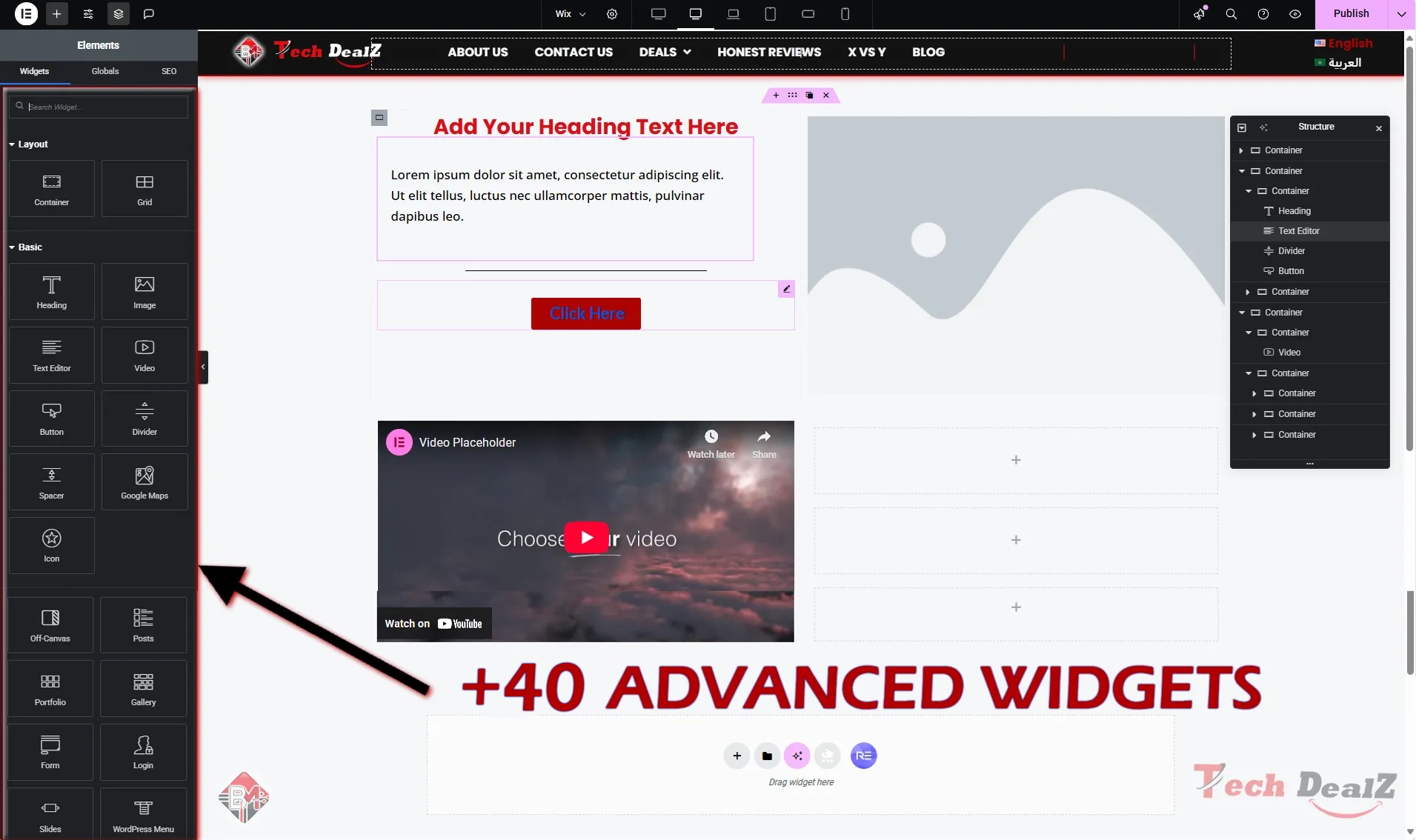
3. 40+ Essential Widgets :
Elementor Free includes over 40 fundamental design widgets:
Basic Widgets: Heading, Text Editor, Image, Button, Video, Divider
Layout Widgets: Inner Section, Spacer, Columns, Containers (Flexbox!)
Media Widgets: Image Gallery, Image Carousel, Icon, Social Icons
Functional Widgets: Google Maps, Shortcode, Alert, Tabs, Accordion
Why it matters: These core widgets are powerful enough to build full websites, landing pages, and portfolios without needing the Pro upgrade.
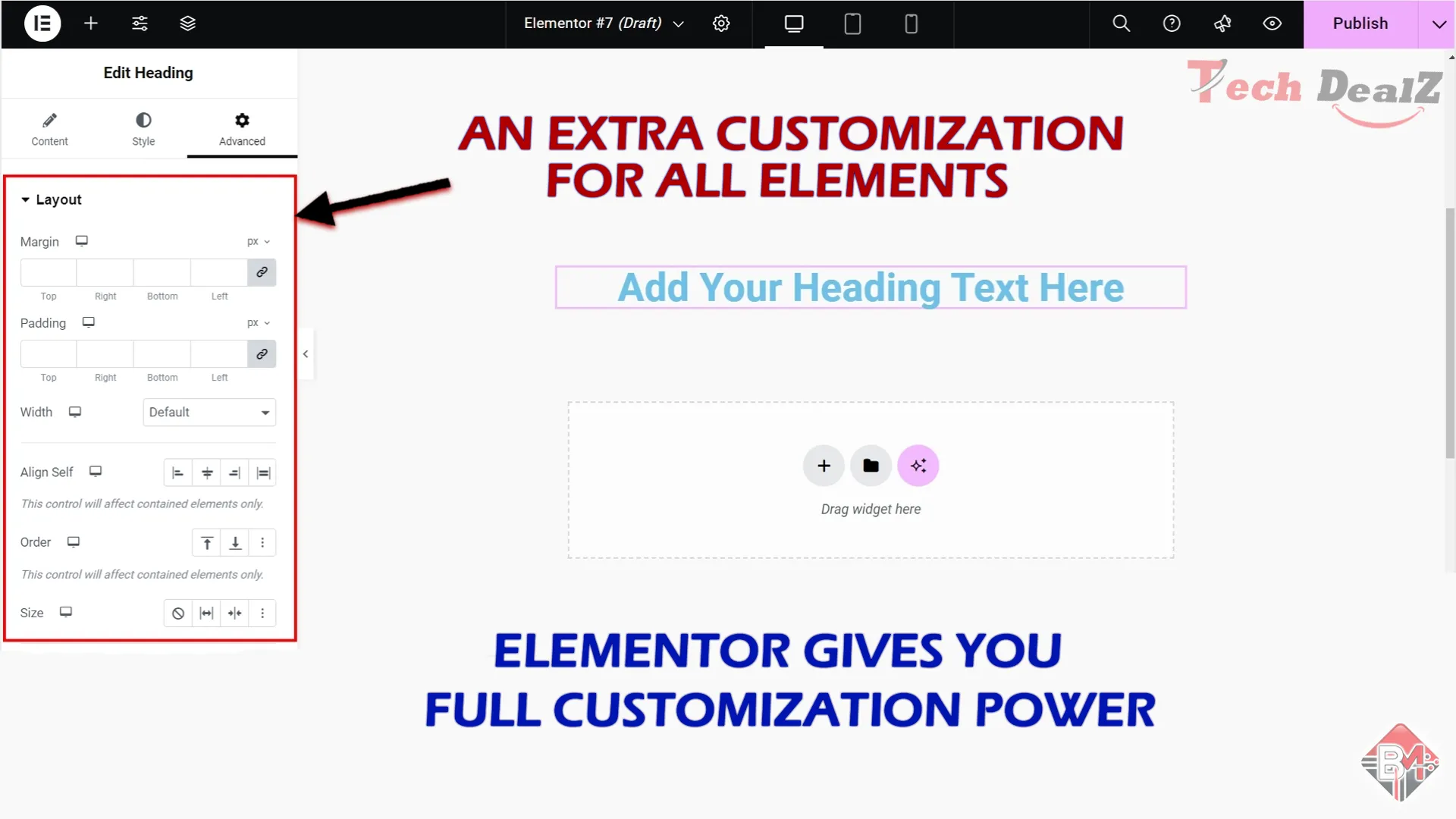
4. Responsive Design Controls :
From the free version, you can:
Customize layouts for mobile, tablet, and desktop
Control visibility per device (e.g., hide elements on mobile)
Adjust padding, margin, alignment, and column stacking for each screen size
Why it matters: Your site looks good everywhere, which is key for user experience and SEO in 2025.
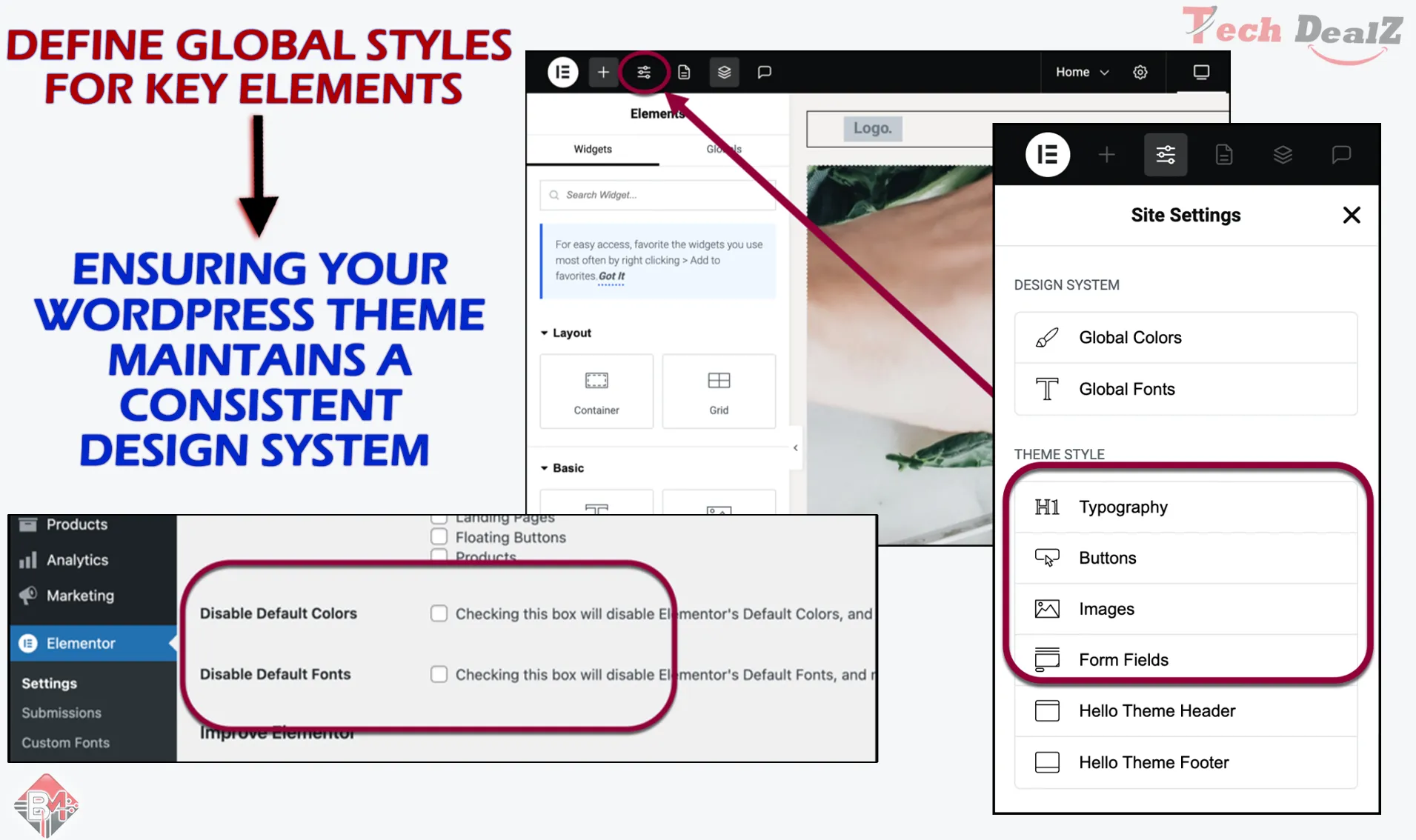
5. Global Style Settings :
Elementor Free now includes basic global settings:
Define site-wide colors and typography
Update fonts, headings, and button styles from one place
Apply consistent design without editing each widget
Why it matters: Makes your site look professional and unified without repeating the same changes multiple times.
6. Pre-Designed Templates & Blocks :
With Elementor Free, you get access to:
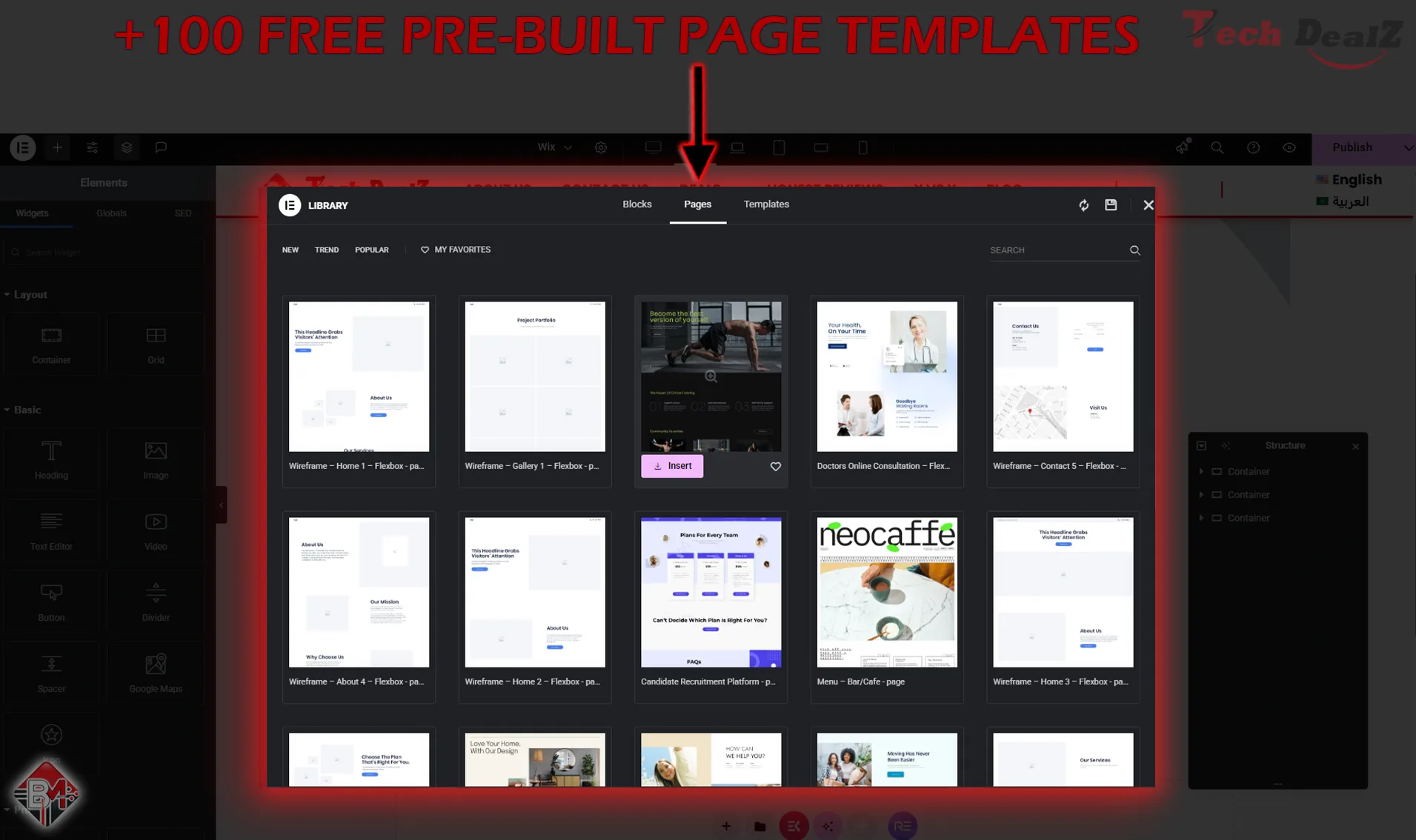
100+ free pre-built page templates
Dozens of ready-to-use blocks (hero sections, testimonials, footers)
You can also save your own designs and reuse them later using “Saved Templates.”
Why it matters: Launch faster by importing professional layouts and focusing on content.
7. Flexbox Container Support :
Elementor Free integrates smoothly with:
Any modern WordPress theme (best with Hello, Astra, GeneratePress)
Gutenberg blocks and shortcodes
Popular plugins like RankMath, WooCommerce (basic support), and WPML (manual setup)
Why it matters: You don’t need to rebuild your entire WordPress stack to use Elementor Free.
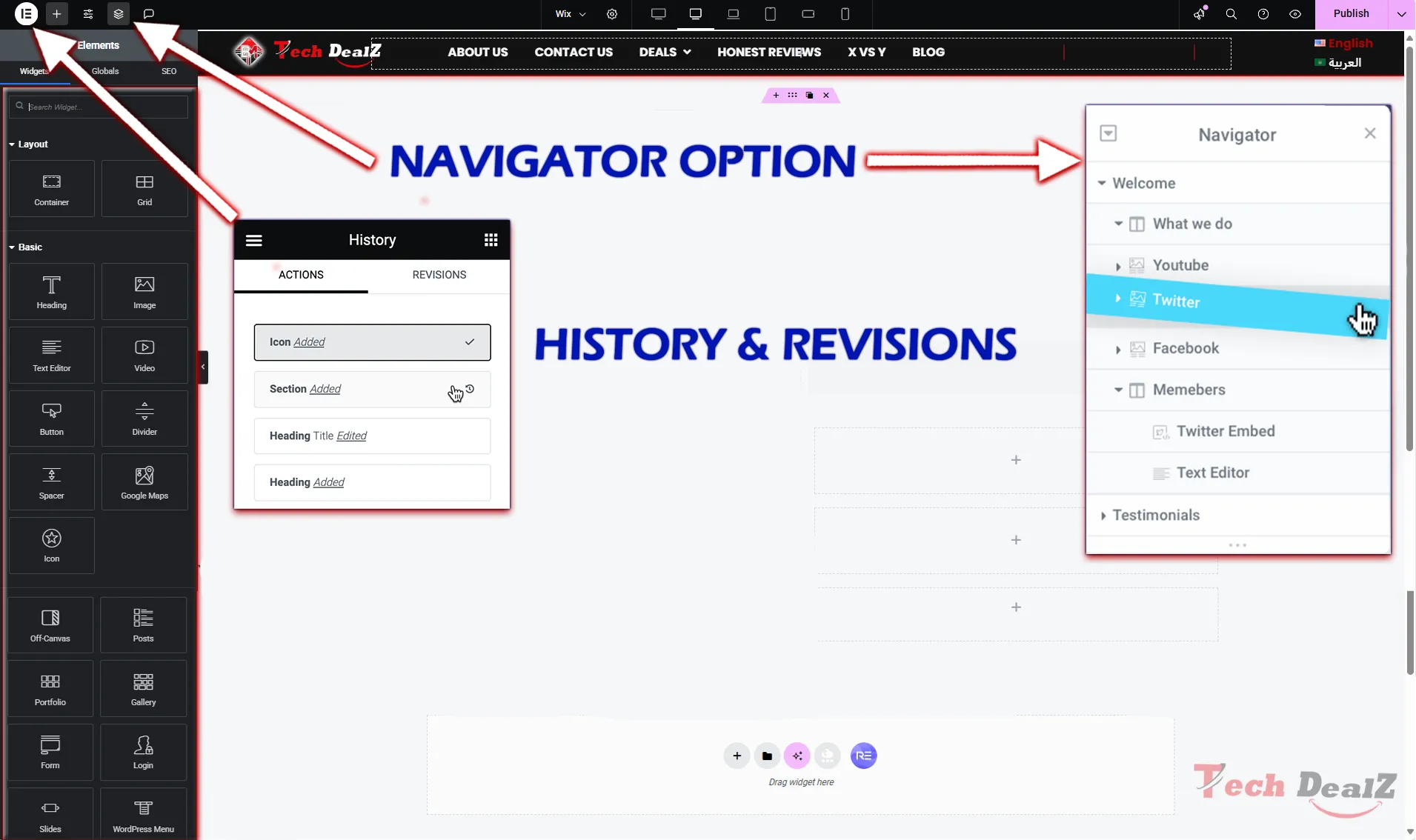
8. Navigator, Finder & Revision History :
Elementor’s interface tools in the free version include:
Navigator: Tree view to manage and move between sections
Finder: Search and jump to any page, setting, or template
Revisions: See previous versions and revert changes easily
Why it matters: These tools improve workflow, especially as pages grow in complexity.
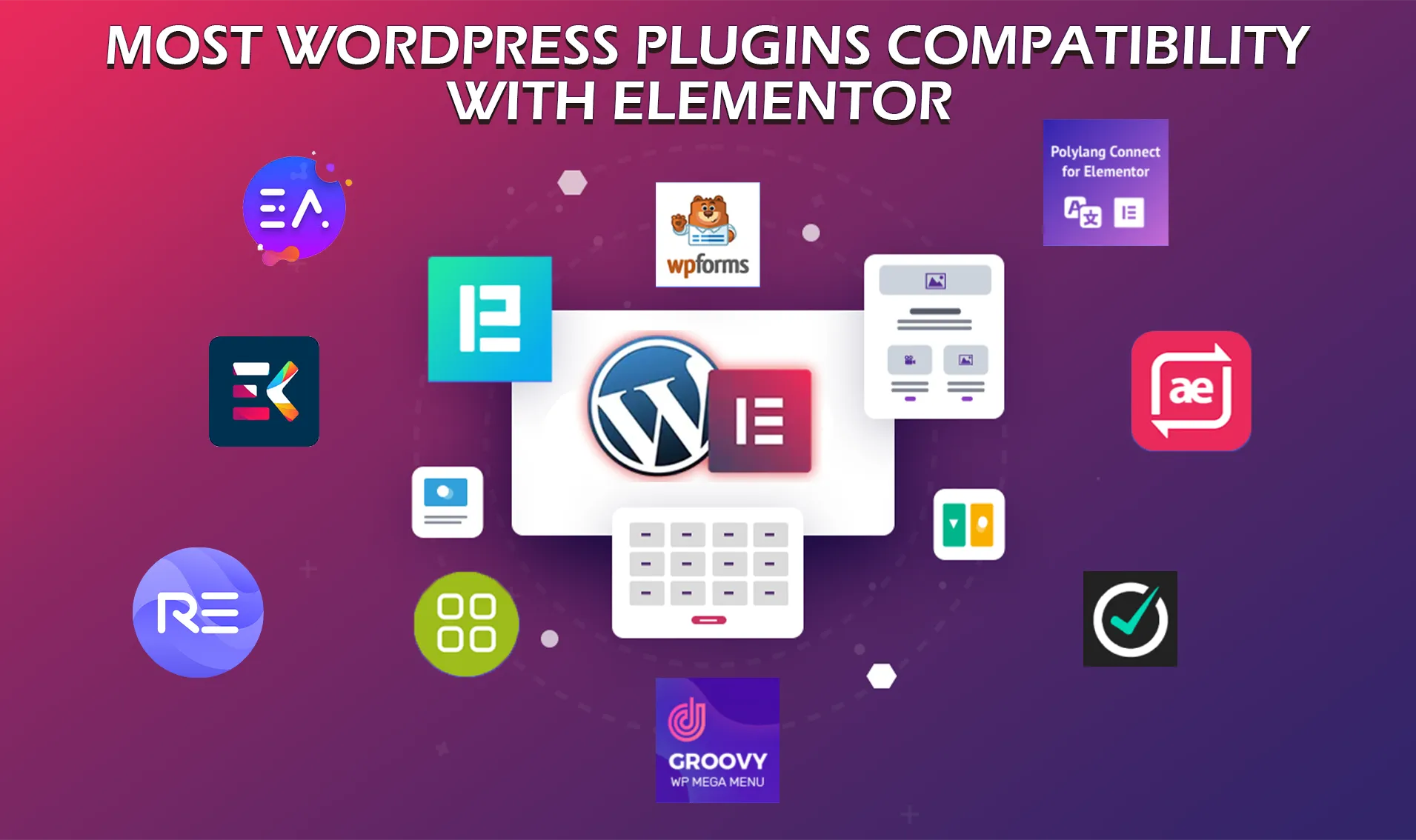
9. WordPress Compatibility :
Elementor Free integrates smoothly with:
Any modern WordPress theme (best with Hello, Astra, GeneratePress)
Gutenberg blocks and shortcodes
Popular plugins like RankMath, WooCommerce (basic support), and WPML (manual setup)
Why it matters: You don’t need to rebuild your entire WordPress stack to use Elementor Free.
⭐ Core Features of Elementor (2025)
|
Features
|
Description
|
|---|---|
|
Drag & Drop Editor (free version)
|
Visual editing with instant preview
|
|
Widgets Library (free version)
|
40+ widgets including text, image, buttons, forms
|
|
Advanced Design Widgets (pro version)
|
+100 widgets including Pricing Tables, box, Lead Capture Form,and more
|
|
Global Styles (free version)
|
Sync fonts/colors across the site
|
|
Theme Builder (pro version)
|
Build custom headers, footers, archives
|
|
Popup Builder (pro version)
|
Design popups without third-party plugins
|
|
WooCommerce Builder (pro version)
|
Full control over product, cart, and checkout
|
|
AI Content Generator (free version)
|
Generate copy, code, SEO tags using AI
|
|
Responsive Editing (free version)
|
Customize layouts for desktop, tablet, mobile
|
|
Motion Effects & Animationsr (free
|
Add parallax, scrolling effects, hover animations
|
|
Form Builder (pro version)
|
Contact forms, lead capture with webhook/API support
|
|
Marketing Integration (pro version)
|
integrations with tools like Mailchimp, , GetResponse for rmail marketing
|
|
Loop Builder (pro version)
|
create Custom post loops (grids, sliders, carousels)
|
ELEMENTOR Pricing Plans (2025)
ᯓ★ Elementor Pro ᯓ★
✅ Which elementor Plan is Best For You ?
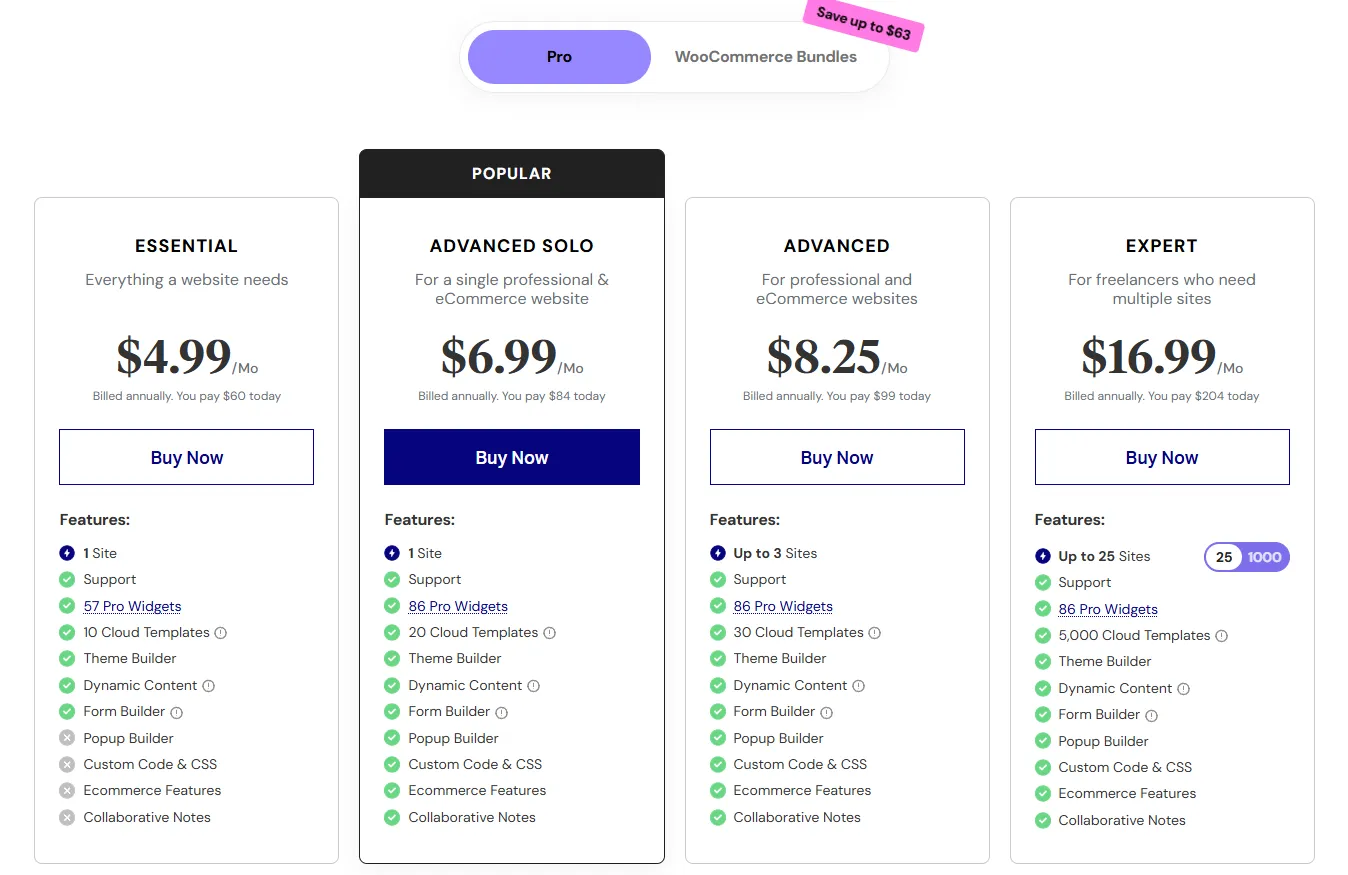
🟦 Essential Plan – $4.99/mo (Billed $60/year)
Best for:
👉 Beginners, bloggers, personal websites
What you get:
Use on 1 website
57 Pro Widgets (basic advanced tools)
Theme Builder (customize your header, footer, blog post layout)
Dynamic Content
Form Builder (create contact or newsletter forms)
10 Cloud Templates
What you don’t get:
❌ Popup Builder
❌ Custom CSS/Code
❌ Ecommerce tools
❌ Team Collaboration (Collaborative Notes)
Perfect if:
You’re creating a simple website like a blog, resume, or small personal portfolio — no advanced tools needed.
🟪 Advanced Solo Plan – $6.99/mo (Billed $84/year)
Best for:
👉 Professionals or entrepreneurs building one serious business or online store
What’s better than Essential:
86 Pro Widgets (more design flexibility)
20 Cloud Templates
✅ Popup Builder (create email opt-ins, promos)
✅ Custom Code & CSS
✅ Ecommerce features
✅ Collaborative Notes (great if you’re working with someone)
Perfect if:
You’re launching a professional website or an eCommerce store and want full control over design, popups, and marketing tools — all for just one site.
🟧 3. Advanced Plan – $8.25/mo (Billed $99/year) :
Best for:
👉 Web designers or freelancers working on 2–3 websites
What’s better than Solo:
Use Elementor Pro on up to 3 websites
30 Cloud Templates (a bit more variety)
Everything else is the same as Advanced Solo
Perfect if:
You’re a freelancer with a couple of clients or have multiple projects (like a blog + an online store + a service site).
🟨 4. Expert Plan – $16.99/mo (Billed $204/year) :
Best for:
👉 Agencies, freelancers, affiliate marketers, or web developers managing many sites
What’s better than Advanced:
Use Elementor Pro on up to 25 websites
Get 5,000 Cloud Templates (huge design variety for fast builds)
All Pro features unlocked
Perfect if:
You build and manage websites for clients or run many affiliate niche sites. This plan saves you a lot of time with templates, reusable widgets, and powerful design control across many domains.
🔍 Summary Table
| Plan | Sites | Best For | Popup Builder | WooCommerce | Custom CSS | Collaborative Notes |
|---|---|---|---|---|---|---|
| Essential | 1 | Beginners, hobbyists | ❌ | ❌ | ❌ | ❌ |
| Advanced Solo | 1 | Small biz, pro single-site | ✅ | ✅ | ✅ | ✅ |
| Advanced | 3 | Small agencies, freelancers | ✅ | ✅ | ✅ | ✅ |
| Expert | 25 | Freelancers & agencies | ✅ | ✅ | ✅ | ✅ |
🧠 Final Recommendation :
Choose Essential only if you’re on a budget and just need basic design tools.
Advanced Solo gives you the best value for a full-featured single-site (including eCommerce).
Go with Advanced or Expert if you handle multiple websites, want access to more templates, and need collaborative/team features.
Users Reviews

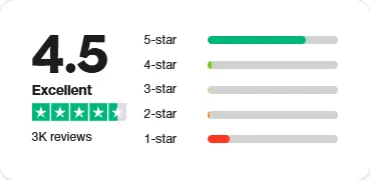
As of 2025, Elementor continues to earn a solid reputation among users, with a Trustpilot rating of 4.5 out of 5 stars. This strong score highlights high customer satisfaction with Elementor’s intuitive drag-and-drop editor, Elementor remains one of the top-rated WordPress page builders in 2025 — trusted by over 15 million websites worldwide.
▼▼▼ what people say on trustpilot ▼▼▼


⭐ Global Rating: 4.6 / 5
|
Category
|
Score (Out of 5)
|
|---|---|
|
Performance
|
⭐️ 4.5
|
|
Ease of Use
|
⭐ 4.9
|
|
Pricing
|
⭐ 4.6
|
|
Customer Support
|
⭐ 4.6
|
|
Features
|
⭐ 4.7
|
🎯Should YOU Choose Elementor?
✅ YES, if you :
✔️ Want to build beautiful, responsive websites without coding.
✔️ Prefer a drag-and-drop builder that’s fast, visual, and intuitive.
✔️ Are a freelancer, entrepreneur, or small business owner who wants full control over design.
✔️ Need advanced tools like theme builder, popup builder, and WooCommerce customization.
✔️ Value seamless WordPress integration and global compatibility.
❌ NO, if you :
🚫 Are looking for a completely hands-off, done-for-you website solution.
🚫 Want all features for free — some of the best tools are Pro-only.
🚫 Need ultra-fast performance on shared hosting without optimization.
🚫 Prefer traditional page editing over visual builders.
🏆 Final Verdict :
📌 Is Elementor one of the Best Website Builders for WordPress in 2025?
Absolutely. Elementor remains a top choice for users who want creative freedom, speed, and professional-level design tools without touching code. Whether you’re building a personal portfolio, a business site, or a WooCommerce store, Elementor gives you powerful tools in a user-friendly package.
📌 Why Elementor Stands Out:
⚡ Real-Time Drag & Drop Editor – Build visually with no coding needed.
🎨 Design Freedom – Full control over spacing, layout, mobile views, and colors.
🧩 Pro Widgets & Templates – Choose from 100+ widgets and thousands of pre-made designs.
🛒 WooCommerce Builder – Customize product pages, cart, and checkout layouts.
📣 Marketing Tools – Popups, lead forms, countdown timers, and call-to-actions.
🧠 AI Integration – Quickly write text, generate code, or create layouts with Elementor AI.
🌍 WordPress Native – Seamless integration with your theme, plugins, and dashboard.
Conclusion
ᯓ★ Elementor is more than just a page builder — it’s a complete website creation platform for WordPress. With its intuitive interface, deep customization options, and powerful Pro features, Elementor empowers creators at all levels to build beautiful, fast, and conversion-focused websites. Whether you're a beginner or a seasoned designer, Elementor offers unmatched value, flexibility, and creative control in 2025. ᯓ★
📌 Why We Choose Elementor in 2025?
🔧 Drag-and-drop builder with live preview editing
🎯 100+ Pro widgets for flexible layouts and designs
💼 Perfect for freelancers, agencies, and business owners
🛒 Advanced WooCommerce support and page customization
🧠 Integrated AI tools for smarter workflow
🌟 Trusted by over 15 million websites worldwide
💰 Affordable Pro plans with excellent value
Get the full guide and in-depth tutorial about elementor to can you use it like a professional
Watch the best " tutorial "
For Free
📌 Here’s a summary of what you will learning :
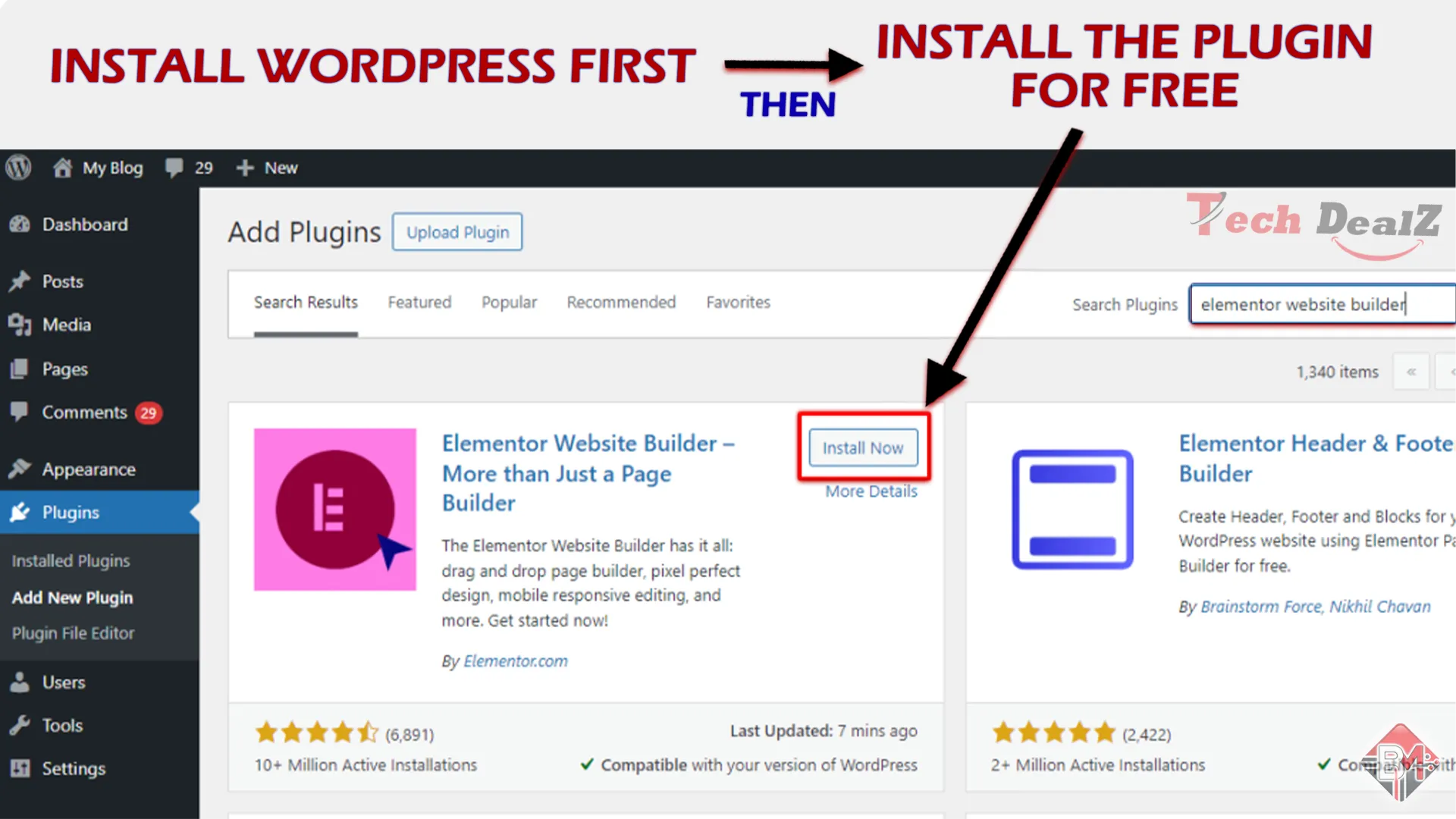
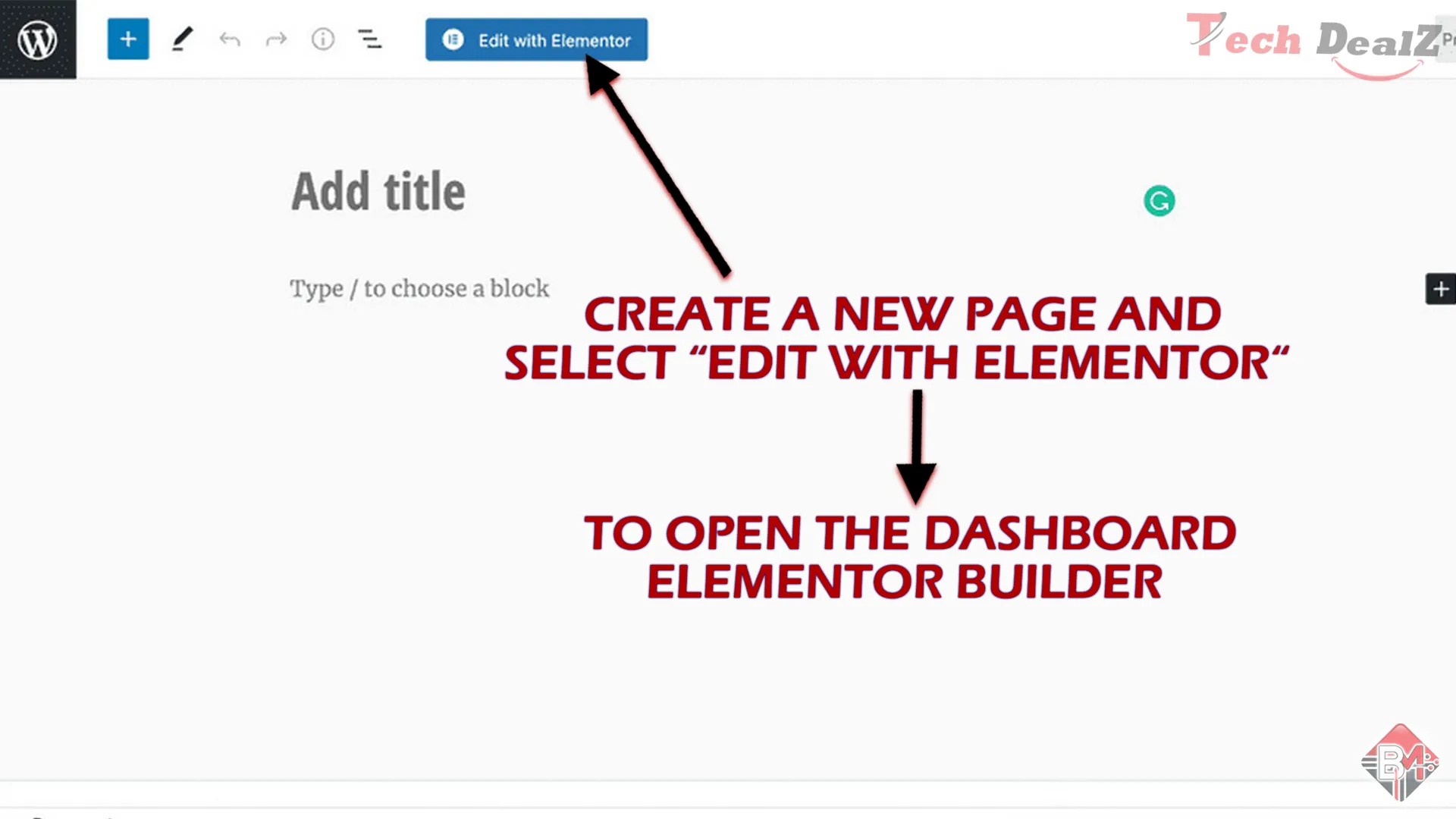
Set Up WordPress & Install Tools.
Choose & Customize a Template.
Edit Core Elements.
Design Global Styles & Mobile View.
Add Key Pages & Launch Your Site.

FAQs

Yes, it’s one of the most feature-rich and widely used builders in the market.
AI content generation, Flexbox containers, performance improvements, and smarter theme building tools.
Yes, especially with AI-optimized text generation and responsive design options.
It can if overloaded with widgets, but the latest versions are more optimized, and you can speed up performance using caching and optimization plugins.
Yes, but to unlock advanced features like theme building, popup builder, and AI tools, you’ll need Elementor Pro.
Definitely. Elementor is ideal for high-converting landing pages, thanks to its drag-and-drop editor, responsive design, countdown timers, popups, and lead capture forms — all without needing any code.
Yes, but only with a Pro plan that supports multiple sites. For example, the Advanced plan allows up to 3 websites, and the Expert plan supports up to 25 sites. Each license can be activated on a separate WordPress site.
Absolutely. Elementor is built for non-coders. The visual builder lets you create layouts, style pages, and add animations or effects with just clicks. However, if you do know code, Elementor also lets you insert custom HTML, CSS, and JS.
Yes, Elementor layouts are theme-independent. You can switch to a new theme without losing your designs. Just make sure the new theme is lightweight and compatible (e.g., Hello, Astra, GeneratePress) for best performance.
╰┈➤ related content you may also like :
Researched by Tech Deals Experts
Do you Find your best deals ?
let us know what u need !
join our Newsletter
Subscribe to our newsletter for the latest Reviews.